Google Pixel C review


KEY FEATURES

  • Optional keyboard
  • Nvidia CPU
  • 10.2-inch display
  • Android Marshmallow OS
  • Manufacturer: Google
  • Review Price: £399.00

PIXEL C LONG-TERM REVIEW

The Pixel C was one of the best Android tablets available when I reviewed it close to a year ago. Having used it as my primary tablet since then I can confirm this remains the case, but that’s largely because noone has bothered releasing anything to challenge it.
The Pixel C’s hardware has aged well. Unlike most of the Android tablets I long-term test I haven’t noticed any serious slow down, or reductions in battery life with the tablet section of the Pixel C.
The Nvidia CPU and 3GB of memory aren’t the most powerful components around any more, but they’re still fit for purpose. The Pixel C still smoothly navigates between menu screens and plays even the most demanding of Android games and applications chug and stutter free.

Thanks to recent updates to its Android Marshmallow operating system, close to all the niggling bugs I occasionally noticed have been ironed out, making the Pixel C one of the most reliable tablets around.

The use of unskinned Android also means it’s almost certain the Pixel C will be upgraded to Android Nougat when the update arrives later this year.
The screen continues to be one of the best I’ve seen on an Android tablet, though it’s not quite on a par with the 9-inch iPad Pro’s. The panel hasn’t degraded at all and continues to offer great uniformity, colour balance and brightness levels.
Battery life for the tablet section remains strong. The tablet still lasts a solid three days with regular use. Regular use entails watching streaming cartoons before I go to work and bed, intermittently browsing the web and checking my social media feeds and the odd gaming session throughout the day.
Intensive tasks have begun to take a slightly larger toll on the battery, however. Streaming video now eats up between 10-15% of the tablet’s battery every hour. Brand new the process only ate up around 9-12%. Gaming also takes a bigger toll on the battery and eats up around 25% of the Pixel’s charge every hour, where before it only drained around 15%.

The keyboard dock hasn’t aged as well as the tablet. The key’s are still comfortable to type on and I have no complaints about the dock’s build quality, but the charging mechanism has become fiddly to use.
To charge the keyboard you have to place the tablet face down on it and connect it to the the mains. When I first started using the Pixel C the process worked a treat, but within the last month I’ve found it a little hit and miss. All to often I’ve left thinking I’ve left the tablet and keyboard charging, only to find the keyboard hasn’t picked up any juice. The connection fail is hit and miss and I’ve found no rhyme or reason to the inexplicable failures.
I wouldn’t recommend anyone buy the Pixel C at the moment, despite it having aged well as it’s currently overpriced. The £399 price tag was hefty when the Pixel C first came out and the fact Google has cut it means the unit is now too expensive.

There aren’t many rival devices out at the moment, but I expect we’ll see a fresh wave of Android tablets from Lenovo and Samsung at IFA in September. Google will also likely unveil a new tablet, hopefully a Nexus 7, later this year.
I’d recommend waiting and seeing what the new tablets bring to the table before shelling out for a Pixel C.

WHAT IS THE GOOGLE PIXEL C?

Google’s touting the Pixel C as “the most advanced Android tablet” ever made, and for good reason. It features a wealth of top-end hardware, including a powerful Nvidia X1 CPU, ultra-sharp 10.2-inch screen, and a latch-free docking mechanism that connects the Pixel C to an optional keyboard cover.
However, with Apple’s iPad Pro and Microsoft’s Surface Pro 4 already jostling for prosumers’ interest, the Pixel C is facing pretty stiff competition.
Luckily, Google’s description is on the money, and the Pixel C is one of the best Android tablets I’ve ever seen, if not the best – at least from a hardware perspective.

GOOGLE PIXEL C – DESIGN


The Pixel C is one of a select few devices actually built by, rather than for, Google, following on from the firm’s previous Chromebook Pixel.
It aims to be “the ultimate Android tablet” for both work and play. Out of the box I can confirm it’s a big step up compared to the HTC-made Nexus 9 – Google’s other tablet. It’s got a minimalist metal frame, with the only real design feature being a light line along part of its back.
The tablet’s 517g weight means it’s fairly comfortable to hold and suitably satchel-friendly, although its front edges are a little sharper than I’d like.
The anodised aluminium used to build the Pixel C’s chassis also has a nice premium feel and left me suitably assured that it can survive the wear and tear expected of a daily-use tablet. Having accidentally dropped the Pixel C onto my flat’s hardwood floor I can personally attest to its durability. (Sorry, Google.)

My review unit came bundled with the optional keyboard, which you can pick up for £119. It connects to the tablet using a new magnetic docking mechanism that doesn’t feature any fiddly hooks or latches.
All you have to do is hold the bottom of the tablet close to the keyboard and the two will snap together. This would be great if from there you could type away to your heart’s content. Sadly that’s not the case. Instead you have to pair the tablet and keyboard using Bluetooth.
This isn’t a deal breaker – plenty of competing convertibles do exactly the same thing – but I’m a little sad that the docking mechanism isn’t as simple as the Surface Pro 4’s Type Cover or iPad Pro ones, which works the moment you attach them to the tablet.
The keyboard's occasional input lag, however, is a little harder to forgive. Once in a while the keyboard would stutter and ignore certain key presses, making typing on it a frustrating experience.
Outside these instances, as Android tablet keyboards go, the Pixel C’s is very good. The keys feel a little squished together, though I don’t see how Google could avoid this happening when you consider the Pixel C’s 242 x 179 x 7mm dimensions. They also partially make up for their bunched-up layout by having great travel.
My only serious concern is that, like the iPad Pro's, the keyboard doesn’t have a trackpad. However, with the ability to connect a Bluetooth mouse to this device, this is less of a problem for desk-based work, although still a concern when it's being used as a laptop.

GOOGLE PIXEL C – DISPLAY

The Pixel C comes loaded with a 10.2-inch display. This makes it one of the smaller convertible options on the market. The iPad Pro features a giant 12.9-inch screen, while the Surface Pro 4 packs a similarly large 12.3-inch display.
This may put off people looking for a bigger tablet, but again reinforces the Pixel C’s travel-friendliness.
When it comes to overall screen quality, the Pixel C is excellent. The 2560 x 1800 resolution gives it an impressive 308ppi (pixels per inch) density. This ensures icons and text on the screen are universally sharp and never difficult to read, despite the tablet’s compact dimensions.

Google claims the screen covers all of the sRGB colour gamut, and has a reported 500 nits maximum brightness. I’d take this claim with a pinch of salt – I’m yet to see an Android tablet cover 100% of the sRGB colour gamut. But my naked eye impressions are positive.
Colours on the Pixel C don’t look overcooked or too cool, as they do on many competing tablets. Viewing angles are also excellent and the tablet’s maximum brightness is dazzling – to the point that I had to set it to 60% to comfortably use it.
The screen does have a tendency to become reflective when hit by direct sunlight, but this is an issue on nearly all the tablets I review.

Google Pixel C – Software and performance


GOOGLE PIXEL C – SOFTWARE

Unlike Google’s last Chromebook Pixel, the Pixel C runs the Android 6.0 Marshmallow operating system, not Chrome OS.
This is a massive improvement as, despite Google’s efforts, Chrome OS's reliance on cloud apps was a big hindrance and it never felt as developed as Android.
With Marshmallow on board, this restriction has been removed and buyers will have access to all the apps on the Play Store, making it better for both work and play.
My one concern is that most of the apps on Android haven’t been optimised for the physical keyboard. Games don’t let you use the arrow keys to control characters and many productivity apps still require touch input to work properly, which is an annoyance.
Hopefully this will change in the near future, as Google’s confirmed it’s working with developers to add keyboard controls to Android apps.
Used as a pure tablet, Android Marshmallow is as sweet as ever on the Pixel. The OS launched earlier this year alongside Google’s Nexus 5X and Nexus 6P smartphones and comes loaded with a wealth of innovative new features. The best of these are enhanced privacy controls, a “Doze” battery-saving feature and improved Google Now functionality.
The privacy controls let you manage which apps can access your data, while Doze enables the Pixel C to detect when the tablet is inactive and slowing down, or shutting off unnecessary features to reduce power consumption. The upgraded Google Now functionality means you're able to access it within applications by holding down the home button.
Google's also designed the Pixel C to take advantage of Marshmallow’s improved Now voice command features and has loaded the tablet with four far-field microphones.
The tech is similar to that seen on the Amazon Echo speaker and should radically improve the Pixel C’s voice-recognition powers.
Utter the magic words “OK Google” and the Pixel C will be at your beck and call, even if it’s on the other side of the room. Having tried to showcase Google Now’s charms while filming a video in a noisy office, I can confirm the microphones work a treat.
However, Android still suffers from a few niggling issues that hamper the Pixel C’s overall appeal. Multitasking still isn’t up to scratch on Marshmallow and the lack of multi-window functionality rapidly begins to grate when using the Pixel C as a laptop. The dearth of optimised tablet apps in the Play Store is also still an ongoing pain.
This combination of factors makes the Pixel C occasionally feel like a great piece of hardware that’s let down by unoptimised software.

GOOGLE PIXEL C – PERFORMANCE

The Pixel C is, on paper, a powerhouse Android tablet. A key selling point is its use of a quad-core Nvidia X1 processor, which is paired with a Maxwell GPU and 3GB of DDR4 memory.
The Pixel C benchmarks amazingly well. I couldn’t get AnTuTu to run on it – which is likely due to its use of the atypical Nvidia CPU. But on the more general Geekbench benchmark test the Pixel C ran in with a 4,188 multi-core score. On the GPU-focused 3DMark Icestorm Unlimited and Slingshot tests the Pixel C finished with 41,400 and 2,856 scores respectively. These scores are some of the highest I’ve seen on an Android tablet.
By comparison, the Nexus 9 scored 3,562 points on Geekbench. Samsung's flagshipGalaxy Tab S2 also fails to match the Pixel C’s performance, scoring 3,562 on Geekbench and 19,306 on Icestorm Unlimited.
With real-world use the Pixel C’s impressive benchmarks have generally rung true. The Pixel C opens applications in milliseconds and I’m yet to find a 3D game or task it can’t run without stutter or chug. All in all you’re not going to find better performance on any other Android tablet at the moment.

Google Pixel C – Battery life, camera and audio


GOOGLE PIXEL C – BATTERY

Android tablets generally have poorer battery lives than iPads, due to Android OS's more intensive system demands. So I was surprised to find the Pixel C came close to matching the iPad Air 2’s stellar battery life. The Pixel C’s 34.2Wh battery dealt with demanding tasks, such as Netflix video streaming and gaming, better than I’d hoped.
Streaming video on Netflix and BBC iPlayer the tablet lost between 9-12% of its battery per hour. By Android tablet standards that's pretty good. I’ve tested tablets in the past that lose as much as 15-20% of their charge per hour when faced with the same test.
Playing demanding 3D games like Warhammer Quest, Shadow Run and Riptide GP2 the Pixel C discharged 15-18% of its battery, which again is well above average. Competing Android tablets I’ve test have lost as much as 20-25% of their charge when running games.
With everyday use the tablet’s battery life is also excellent. Even with heavy use it always managed to last three full days with charge to spare.
Heavy use included regularly checking my social media feeds, browsing the web, playing an hour of games, streaming music to my Chromecast while cooking dinner and watching a couple of episodes of Jessica Jones before bed.

GOOGLE PIXEL C – CAMERA

Tablets’ cameras are generally nothing to write home about. Past Android and iOS camera sensors have proven capable of taking, at best, usable photos.
The Pixel C doesn’t reverse this trend. The rear 8-megapixel camera is reasonably good by tablet standards. Shots taken in regular light in the auto mode have fairly realistic colours, are crisp enough to share on social media and aren’t over-sharpened.
However, they do have a tendency to look a little washed out and the sensor doesn’t deal with mixed, or dim, lighting conditions all too well, with colours beginning to distort and background noise becoming an issue. This isn’t a deal-breaker, as there isn’t a tablet in the world with a camera that works well in low light.
The front-facing 2-megapixel camera isn’t going set the selfie world on fire, but is more than good enough for video calling on Skype and Hangouts.

GOOGLE PIXEL C – AUDIO

The Google Pixel C features twin stereo speakers that run along its left and right short sides. Watching content directly in front of the Pixel C the speakers are reasonably good by tablet standards.
They don’t match the maximum volume of Lenovo’s top-notch Yoga Tab 3 Pro, which remains one of the best Android tablets for home entertainment, but they're more than loud enough for bedtime Netflix binging.
The bass isn’t the strongest I’ve heard from a tablet, but it’s far from weak or weedy sounding. Gunfire during heated Daredevil scenes had suitable punch, and dialogue was clear and free of the muddy, or overly tinny quality I hear on cheaper Android tablets.
I also didn’t notice any distortion or noise creep in when I cranked the speakers' volume to maximum while playing classic punk and rock music.

OTHER THINGS TO CONSIDER

Since my original review in October 2015, I have continued to use the Pixel C as my at-home tablet and the device I take to press events to make notes on, so I felt an update how it performs with regular use was worthwhile.
First, despite the release of Android 6.0.1 for the Pixel C, I have personally found my complaint of delayed and laggy key presses has become slightly worse. It's not a deal-breaker of a problem, but it happens regularly enough – about once per typing session – to be an irritation.
There have been improvements, too. Since my original review, I have been able to get a Bluetooth mouse to work on the Pixel C, which is very useful when working at a desk where precision control is key.
Build-wise, there has been little in the way of nasty surprises. I can't say I've been the most careful owner of the Pixel C and it's picked up a few scrapes and scuffs, but generally speaking it's in good condition considering its workload. All the buttons still work and there isn't any annoying, ugly dirt sitting in the small joins between the screen and the chassis.
Also worth mentioning is the next version of Android, 7.0 Nutella. If the features included in theAndroid N developer preview make it through to the final build for consumers, the Pixel C will benefit hugely, thanks to its multi-window support and better notifications system. Since this is a pure Google device, it'll be among the first devices to get the official update, which is a huge boon. When the next version of Android officially launches, I will update this review again with my impressions of the OS on on the Pixel C.

SHOULD I BUY THE GOOGLE PIXEL C?

The Pixel C is a technical marvel that easily outclasses competing Android tablets when it comes to processing prowess and battery life. If you want a top-end Android tablet that can double as a small laptop, the Pixel C is the only option worth considering.
However, with pricing starting at £399 for the basic 32GB model and the keyboard costing a massive £119 extra, its perks come with a hefty upfront cost.
Considering the lack of applications that need the Pixel C’s raw muscle, there are better deals out there. The Nvidia Shield Tablet K1 costs a meagre £150 and is more than powerful enough to meet most people’s gaming and entertainment needs.

VERDICT

The best Android tablet yet, but it’s let down by a lack of software optimisation.


Sony Xperia X review


Introduction

There's a shift of command in the house of Xperia. The Sony Xperia X and its two siblings are taking over from the Xperia Z. A dynasty has come to an end. We hear the C and M families are being put out to pasture as well, soon it will be all X top to bottom.
So, what's the new face of Sony like? The Xperia X, which will likely form the backbone of the new lineup, persists with the angular aesthetics that debuted with the original Xperia Z back in 2013. It has a metal back, but no more waterproofing (that's exclusive to the Xperia X Performance). Sony's trademark sonic experience however lives on with the on-board stereo speakers and High-Res audio. Another Sony staple, the camera, is more than robust but has an uncomfortable question to answer.

Key features

  • 5" 1,080 x 1,920px LCD display with 441ppi, X-Reality for Mobile, Triluminos technology and Dynamic Contrast Enhancer; scratch-resistant glass, oleophobic coating
  • Android OS v6.0 Marshmallow with Xperia launcher
  • Hexa-core Qualcomm Snapdragon 650, a dual-core 1.8 GHz Cortex-A72 and quad-core 1.4 GHz Cortex-A53; Adreno 510 GPU; 3GB RAM
  • 23 MP camera with 1080p@60fps video recording and tracking autofocus; 13 MP front-facing camera with 1080p@30fps video
  • 32GB of built-in storage and a microSD card slot
  • Single and dual-SIM variants (hybrid slot)
  • LTE Cat.6 (300Mbps); Dual-band Wi-Fi a/b/g/n/ac; A-GPS/GLONASS receiver, Bluetooth v4.1, FM radio with RDS
  • Active noise cancellation with a dedicated mic; 24-bit/192kHz Hi-Res audio
  • 2,620mAh non-removable battery
  • Fingerprint sensor


Main disadvantages

  • No 4K video recording
  • No waterproofing
  • Chipset and RAM not impressive for the price

We need to re-draw the Xperia family tree. If we agree that the Xperia X Performance replaces the Z5, then which one is X's predecessor? We think it's the Xperia M5.
Here's the deal: 5" 1080p screen, 13MP selfie camera, 21.2MP main camera with 4K video, IP68 rating. That's the Xperia M5. The Xperia X throws in a metal back and stereo speakers, but it loses 4K and IP68. It's an awkward trade-off to make against last year's midranger.
Sony says that its secret sauce makes the Xperia X more than just a midrange handset and we're sure Sony fans would agree. So, if you want to experience this phone with your heart first - feel free. Starting on the next page, the hard facts and reason are back in the conversation.

Unboxing the Sony Xperia X

The box appears all white, but as soon as you remove the top you are greeted with a burst of color - a promise of a multitude of hues to come from the X-Reality display. There's also the huge new logo of the re-branded X-line.
The box itself doesn't hold much - the phone, the manuals, a charger and a cable. We didn't get a headset; maybe that's just the review unit as there's an empty spot in the box, big enough to hold a headset.
It's important to note that while the Xperia X supports Quick Charging, the in-box unit puts out 1.5A at 5V. That's not very powerful, even for a non-quick charger. Packaging in the US is different, though, and includes a Sony UCH10 Quick Charger, which offers Quick Charge 2.0.
We were let down by the basic retail package, especially considering the price point. To be fair, other companies are slimming down their boxes too - the HTC 10 skips the headphones in some markets, and the Galaxy S7 doesn't come with a quick charger everywhere while some LGs come without a fast charger too.

Sony Xperia X 360° spin

The Sony Xperia X brings the screen size back to 5", so it's slightly smaller than the Z5 (but bigger than the Z5 Compact). It is roughly the same size as an Xperia M5. Slightly heavier though at 153g, in part due to the use of metal. It weighs the same as the Z5.

Hardware

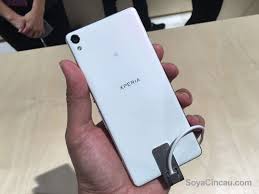
The Sony Xperia X has been forged in the same fires as the Xperia Z5 - it's a stark and restrained aesthetic of boxy, rectangular design mixed with rounded-off sides and a side-positioned fingerprint reader.
The rounded sides are complimented by the 2.5D glass that slopes into the them. The transition is smooth - a boon for side-swipes and a small but meaningful detail that contributes to the premium feel.
Two notches are cut into the front glass to give the stereo speakers room to let their voice out. They are a throwback to the Z3, unlike the Z5 where they were placed closer to the top and bottom edge.
The front glass is scratch resistant, but Sony hasn't mentioned any brand names.
On the top half, there's a 13MP selfie camera - the Z-series were so focused on the back camera, so they only used to get 5MP front-facers. This camera is serious stuff - 1/3" sensor and a f/2.0 aperture, not too different from the specs of an iPhone 6s' primary camera.
The back is flat and made of metal with a frosted finish. The key placement is much the same as the Z-series as well.
The Xperia X weighs a hair over 150g, and the weight is evenly distributed. With Sony's choice of materials, the heft helps sell the quality feel.
The sides of the phone are key to the Xperia design. The round button of the past is now the Power key/Fingerprint reader of today. The key is recessed, preventing accidental presses. The built-in scanner is also fast and accurate.
We're still not happy about the placement of the volume rocker. It's between the Power and Shutter keys, so you have to tilt the phone sideways so your thumb can reach low enough. Sony is the last holdout for hardware shutter keys, and the benefit of having one is less certain when you won't be able to take pictures underwater.
On the other side of the phone is the card tray. It can be accessed without eject pins and it holds a nanoSIM and a microSD card. The Sony Xperia X also has a dual-SIM version. Note that it uses a hybrid slot, so if you need a microSD card you might as well get the single-SIM phone.
One annoying thing is that the phone immediately restarts when you pull out the tray - no questions asked, no chance to properly exit apps, no option to prevent the reset. Yet Sony has not enabled the Adoptable Storage feature of Android 6.0 Marshmallow, which would be one reason to restart the phone as soon as the cards leave it.
At the bottom is the microUSB 2.0 port and the mic, there's a secondary mic on top.

Display

Despite their surreal appearance, Sony managed to keep color reproduction fairly accurate - the display scores an average deltaE of 4.0 - that's more than the best in this regard (the Galaxy S7 and iPhone 6s), but it's still better than quite a few devices (the Xperia Z5, LG G5, and Huawei P9). It's really the white balance that's off (it has a blueish tint), the rest of the color reproduction stays mostly under a deltaE of 6. The biggest deviation was 9.4.
There are sliders to adjust white balance, but you need to have a calibration tool as you really can't do much by eye.
Sony also worked to improve contrast and the Xperia X scores 1,200:1, better than the 1,000:1 the Z5 managed and the 800:1 of the Xperia M5. This was largely done by improving the black levels, which are still on the high side. Even so, in the dark, you can get the brightness as low as 4.9 nits, a boon for late-night notifications when a bright screen would blind you.
Display test100% brightness
Black, cd/m2White, cd/m2Contrast ratio
Sony Xperia M50.63527839
Sony Xperia Z50.59583986
Sony Xperia X0.445391219
HTC One A9-366
Samsung Galaxy A5 (2016)0.00421
Samsung Galaxy A5 (2016) max auto0.00601
Huawei Honor 70.324501398
Sony does image post-processing in its gallery. You can turn it off, switch to X-Reality mode or go all in with Super-vivid mode (delivering self-described "surreal" images).
These modes sharpen images, boost contrast and (in super-vivid mode) enhance colors. You can get a side-by-side comparison to help you make your choice too.
The sunlight legibility marks a small improvement over the Xperia Z5 and M5. It's on par with, say, LG G5, but behind some mid-range AMOLED-packing phones.

Connectivity

The Sony Xperia X comes in single- and dual-SIM versions, ours is of the single-SIM kind.
For mobile data, LTE Cat. 6 (300Mbps down, 50Mbps up) along with HSPA as a fallback (42.2Mbps/5.76Mbps). You also get dual-band Wi-Fi a/b/g/n/ac (the Xperia M5 lacked ac), Bluetooth 4.2 with aptX and Low Energy, NFC and FM Radio with RDS (we know it's important to some people).
The Wi-Fi connection can be used for screen casting - either via Miracast or Google Cast. This goes great if you connect a DualShock controller, the Xperia X becomes a portable console. For cars, MirrorLink can connect to your head unit.
The microUSB 2.0 port (yep, no Type-C action from Sony in the foreseeable future) lets you charge the phone as well as hook up USB storage and accessories. The port is MHL-enabled if you need a wired TV out instead.

Battery

Ask any Xperia owner about battery life and you'll hear good things. But the Sony Xperia X comes with a sealed 2,620mAh battery. Is it enough? That's the same capacity as the Xperia M5 and actually a bit less than the Xperia Z5 Compact (2,700mAh).
Note that the Xperia X is the first phone to launch with a Qnovo battery. It supports fast charging (Quick Charge 2.0 in this case)), but the company behind it claims it has a longer life and will last hundreds of charge cycles more than a conventional Lithium battery (especially one that's being fast-charged). This means that a year or two after you buy it, the X will continue to offer solid battery life while an aged regular battery will not be able to hold much charge (and this is important for a phone with a sealed battery).
Additional improvements, including a new chipset, help the Endurance rating to a good 67 hours. Not the best we've seen (Z3 Compact was a wonder), but we think it's actually an improvement over the Xperia Z5.
It comes down to the testing procedure - we used to set the brightness slider to 50% (which for the Z5 meant a low 90nits), but now we test all phones at 200nits. The only test the Xperia X loses compared to the Z5 is the browser test, but we think at equal brightness the Z5's lead will shrink.

In comparison, the LG G5 scored 60h (50h with Always On screen), HTC 10 did 66h, Sony Xperia Z5 73h, Huawei P9 75h, Samsung Galaxy S7 80h (49h with Always On).
Sony's Stamina battery saving feature comes standard here. It has two modes: regular Stamina, and Ultra Stamina. The first disables non-essential features like GPS and vibration, and takes performance down a notch, but the Xperia does remain a smartphone.
Ultra Stamina is for absolutely dire occasions when you don't expect to be able to find a power outlet for a prolonged period of time. Enable that and it's back to basics where you get a single homescreen with access to the dialer and contacts, text messages, camera and clock.
You can read more about the Xperia X battery life in our blog post.

Marshmallow-first Xperia

The Sony Xperia X comes with Android 6.0.1; it's the first Xperia to launch on Marshmallow (older phones are getting updated to it). Sony put its usual light-but-functional Xperia skin on top.
Keep in mind we use "light" in terms of the number of changes it makes, not how much storage it uses up. The X is available with 32GB of storage only, the Sony software reserves 12GB of that, leaving 20GB to the user. If you need more, add a microSD card.
The fingerprint reader is a recent addition to the Xperia line and Sony firmly believes the best place for it is on the side, integrated into the Power button. We can't deny the convenience, waking the screen and unlocking the phone are tightly related. There's optional tap-to-wake if you just need to check notifications (there's a notification LED in the top loudspeaker too).
Smart Lock gives you conditional security - trusted nearby devices, locations, faces, or voices can allow you to skip the security unlock protocol.
We had a good experience with the fingerprint reader. It's fast and fairly accurate. There's an animation that slides the lockscreen away from your thumb (as if you pushed it out of the way), which helps hide the small delay, so it feels seamless.
The homescreen appears unchanged. This includes the swipe down gesture, which shows a screen of the apps you use most along with recommendations for new apps to install. A search field is highlighted so you can start typing the app's name immediately.
The traditional app drawer is still on board and it features an above average amount of vendor apps. Sony takes great pride in their AV prowess, so you know they are going to swap out the base Android Gallery, Music and Video players, media editors too.
The notification area is plain Android. You can re-arrange the quick toggle tiles and adjust the screen brightness. Note that just like in vanilla Android, there's no toggle for Auto brightness (you need to go into the settings for that). That's the one thing we don't mind skins changing.

Ajouter une légende


The app switcher is similarly a vanilla Android affair with the 3D rolodex look.
The small apps are gone, however, and there is no longer floating app multitasking.
That's not to say apps are allowed to do as they wish, the Smart cleaner feature will periodically empty the cache of apps you haven't used in a while. You can switch this off or just manually tell it not to bother for certain apps.
One thing Android has been missing for years is a proper backup solution and Sony gives you one. It can backup applications, contacts, messages, phone settings. The backup info itself can be stored on your Sony online account, on the microSD card or an external USB device. Backups can be scheduled, including conditions like "Connected to Wi-Fi" and "Charging device" (the latter means you can build a charge/backup dock if you are crafty enough.

Performance

We already had a piece on chipsets and performance of the Sony Xperia X in our blog, but now we'll go into more detail.
The phone is powered by a Snapdragon 650 chipset. This means you get the new Cortex-A72 cores - better, faster than the A57 they replace - but only two of them. They are paired with four Cortex-A53's so the chipset is a replacement of the Snapdragon 808 (2x A57 + 4X A53). That said, this chipset is built on the older 28nm process while the Snapdragon 808 was built using the 20nm process.

Despite this fact, in multi-core CPU speed, the Xperia X does better than the LG Nexus 5X with S808, and it even matches the Xperia Z5, which uses an S810 chipset.
AnTuTu 6 and Basemark OS II 2.0 have a positive view of the performance. They place it well ahead of the HTC One A9 and the Samsung Galaxy A5 (2016), premium mid-rangers that compete for a similar spot as the Xperia X. It's not a flagship but it tops the Xperia Z5.

Phone

We have a single-SIM Sony Xperia X, but there is a dual-SIM version if you need an extra phone line. The phone has active noise cancellation with a dedicated mic. You can filter the call log by missed, incoming and outgoing calls.
The phone also has a fairly unique feature, a built-in answering machine. Yep, it picks up an incoming call, plays your greeting and would later replay your friends' messages. You can set up your greeting and pickup conditions.
The Sony Xperia X scored fairly low on our loudspeaker test. Stereo speakers or not, it just sounds quiet even when you boost the volume to the maximum. So it scores a Below Average, not really improving on the Xperia Z5's or the M5's performance.
Speakerphone testVoice, dBPink noise/ Music, dBRinging phone, dBOverall score
Sony Xperia X61.361.165.7Below Average
Sony Xperia Z565.162.366.3Below Average
HTC One A965.064.967.2Below Average
Samsung Galaxy A5 (2016)65.866.066.5Below Average
Sony Xperia M565.668.964.0Below Average
Apple iPhone 666.665.772.8Average
Nokia Lumia 83065.366.378.0Good
Xiaomi Mi 4s73.768.682.9Very Good
Meizu MX575.773.579.5Excellent

Messaging

The Sony Xperia X has a beautiful Material design messaging app. It feels like the instant messengers you might be used to, including conversations wallpapers and cute stickers you can send.
Ours came with panda stickers pre-installed, but you can download more (free and paid sticker packs are available). You can also send your own creations drawn in the Sketch (obviously, this changes the message type to MMS).
For text entry, Sony picked the SwiftKey keyboard. It became popular for its swipe input, but regular tap-typing with text correction is available as well.
The keyboard is highly customizable - you can change the layout, choose what characters are available (accented characters, emoji), enable a number row, resize the keyboard or even undock it.
The Messaging app also handles voice input.

An Album up to Sony standards

he Album app is among the most comprehensive and feature-rich we've seen, it's fast and easy to use, too! Photos are organized by month, and you can use pinch-zoom to change the size of thumbnails (then they smoothly animate into the grid).
At the very top of the list is a slideshow, showing off your photos, lower down, the first photo of each month is shown at twice the size of other images.
You can instead browse photos on a map (you can manually add geotag info) or by folder. This includes network storage so that you can view photos from a DLNA server (your home computer for one). Then there's integration with online albums - Facebook, Picasa, Flickr.
Image editing is handled by several apps, including Sketch and Sticker maker (so you can create your own custom stickers to send to your friends).
Sketch lets you fingerpaint over a photo or a paper-like texture, add text, stickers, photos and so on. If you're talented, you can share your creations on the Sketch mini-social network, and if you're not, you can just browse what others drew.
Movie Creator is similar to the Assistant of Google Photos. It automatically creates short videos from the photos and videos you've shot.
You can do it manually too: pick photos and videos, change their order, add color effects and music (you get a small audio collection to start you off, but can use custom files too). Then tap the Share button and send out your animated slideshow.
We mentioned it in the Display section, but we'll repeat it here. The Sony software uses image enhancements to make even average-looking photos pop. You can choose from Off, X-reality (sharpen and boost contrast) and Super-vivid.

Music app

The Music app feels like a part of the same software package as the rest of the custom Sony stuff. The side menu offers much of the same browsing options - by folder, network folder and online services, in this case, Spotify (it's just a link to the Spotify app though). You can share music from the phone to compatible players.
The Infinite button as such is gone, but its functionality is now under the More about this option in the menu. It can find the track's video on YouTube, look up info about the artist on Wikipedia and search for lyrics on Google. Gracenote is used here too and it can automatically download information about your tracks and album art.
The Music app offers a variety of audio settings - ClearAudio+ determines the best audio quality settings depending on the track you're listening to. We liked how it changed the sound and carefully accentuated various details.
Then there's DSEE HX, which uses an almost wizardly algorithm on compressed music files, like MP3s and restores or rather extrapolates high range sound. According to Sony, the result is near Hi-Res Audio Quality. We aren't quite sure about that, but the processing does seem to boost quality quite noticeably. Also, it only works with wired headphones.
Dynamic normalizer evens out the volume differences across tracks, which is great if you've mixed multiple albums from multiple sources.
Noise-cancelling headphones are supported - they are a special kind that doesn't require batteries as Sony has figured out a way to make the phone do the work. You'll need noise-cancelling headphones from Sony, though.

FM Radio

There's also an FM radio tuner with RDS. The app features multiple visualizations and integrates with TrackID to recognize the currently playing song. The interface is very intuitive and full of stunning animations. Possibly one of the best FM radio apps out there.
Of course, you would need to have your headset plugged in for the FM radio to pick up any signal.

Video

The Movies app is gone, a simpler Video app takes its place. The app is simpler to use - you pick a file from one of the local folders or your home network. You can also use the Search feature to look up videos on YouTube. The app is missing the HTPC-like functionality though, which pulled movie and TV show info automatically.
A chapter view lets you find a specific part of the video, by letting you scrub through a virtual timeline.
Videos can continue to play in the background (it's an option), but you can't view the video in a small floating window. At least you get full subtitle settings.

Audio output starts off strong, loses some brilliance with headphones

The Sony Xperia X showed perfect clarity in the first part of our audio quality test. When attached to an active external amplifier, the smartphone produced great scores top to bottom and things were above average in terms of loudness too, for a great performance.
Plugging in our standard headphones did cause some damage - volume dropped to below average, stereo crosstalk rose a bit and some distortion crept in. It’s still a very good performance, but no longer up there with the best.
Here go the results so you can do your comparisons.
TestFrequency responseNoise levelDynamic rangeTHDIMD + NoiseStereo crosstalk
Sony Xperia X+0.01, -0.04-94.889.90.00430.015-93.4
Sony Xperia X (headphones)+0.44, -0.03-83.787.70.00830.226-65.5
Samsung Galaxy A5 (2016)+0.02, -0.07-94.392.20.00650.010-95.0
Samsung Galaxy A5 (2016) (headphones)+0.42, -0.01-93.487.10.0290.254-53.0
Samsung Galaxy S6+0.01, -0.04-95.692.80.00240.0094-94.5
Samsung Galaxy S6 (headphones)+0.02, -0.05-92.691.90.00250.042-83.4
HTC One M9+0.02, -0.06-94.893.00.00490.026-93.7
HTC One M9 (headphones attached)+0.03, -0.05-93.792.70.00820.030-91.6

Camera

The Sony Xperia X is the company's new photography star. It uses a big 1/2.3" 23MP Exmor RS sensor behind a F/2.0 G Lens.
The big addition in this camera generation is the Predictive Hybrid Autofocus. You can tap on your subject and the camera will track its movement, keeping the focus locked on it. This is great for subjects who would move all around the scene.

The X camera lets you capture moments in the blink of an eye - from a locked phone, it takes a mere 0.6 seconds to capture the first shot. To use that feature, you need to enable taking a photo when waking the camera with the shutter key in Settings. The feature worked as fast as advertised and took the shot before we even got the chance to see the camera viewfinder. Then again, a lot of the photos came out blurry because we were still adjusting the framing of the scene while the phone took the pics.
The front camera is equally impressive. It has a 1/3" Exmor RS sensor with 13MP resolution and f/2.0 G Lens. It's the kind of setup some lower-end phones would use for their main camera.
Sony tech promises good performance in low light and smartly adjust the shutter speed based on movement in the scene - a static scene gets a long exposure time to reduce noise, a dynamic scene a short one to reduce motion blur.
Sony's latest camera UI is fairly streamlined (as seen in the Z5 series as well). You change modes by swiping up and down. Superior Auto will probably be the main mode you use, but there's a Manual option too. However, it is quite limited as you can change ISO and white balance, that's it.
The Camera App tab holds some useful features and some features, which are just there for fun.
Some of the available modes are Sweep Panorama, Slow-motion video, Face in picture, Sound Photo and a few more. Those are the pre-installed modes, more can be downloaded.
The selfie cam has pretty much the same features aside from minor differences (no ISO in manual mode). It even reminds you to look at the camera when taking a photo.
Image quality
The Sony Xperia X camera can perform well. Looking at our compare tool, resolution-wise, the X outperforms almost all camera phones in our database. The tiny print is visible and you see detail that is completely missing in photos from competitors.
However, it does suffer from the classic Sony weaknesses. Noise is ever-present and even stronger in every area that's not perfectly lit. Corner softness is barely visible, but it's there.
The noise - reduce noise - sharpen style of processing robs the camera of per-pixel detail and it's most noticeable in high-frequency detail like foliage and grass. The Xperia X has heaps of pixels to throw at the problem and photos are best viewed at less than 100%.
The Superior Auto had a relatively small impact, it would sometimes add contrast compared to the Manual mode shot, but in most cases you have to look hard to notice anything.
Color reproduction leaves something to be desired, colors in photos being undersaturated compared to real life hues. Due to the screen and gallery viewing enhancements on the Xperia X, though, you may not notice it until you take the photos off the phone.
The predictive motion-tracking autofocus works fairly well as long as the object it tracks does not leave the frame.
We're also quite happy with the re-focusing speed in general. Switching from subjects in close distance to ones far away is quick and seamless - okay, perhaps it's not as fast as Samsung's Dual Pixel AF, but it's an improvement over the Xperia Z5 camera.
Speaking of, when we reviewed the Z5 (admittedly an early unit) we encountered several software issues.
You can compare the Xperia X against some competing phones in its class over at our Photo Quality Comparison tool. Look at the fine print on the London map and the details on the 10 pound banknote. Look at the bottom right corner to judge the noise levels.
HDR
Technically, Superior Auto is supposed to engage HDR as needed, but there's a toggle in the Manual mode. Either way, the effects are so small that even in extreme situations you only get a minor improvement.
Panorama
The Xperia X has a sweep panorama like Sony's digital cameras, but the results are not terribly impressive. The panoramas are 1080px tall, stitching has issues (ghosting) and the resolved detail is quite low.
Selfies
The selfie camera has an above-average resolution, its focus is well-adjusted to shoot at arm's length (you'd think all selfie cameras are like that).
In perfect light, you can squeeze a lot of detail out of a selfie. Indoors, however, the increased noise eats away the resolution advantage. Again, Xperia photos are best viewed at less than 100% - which is another way of saying they look great on the phone's screen.
Videos
The Xperia X can record 1080p at 30fps and 60fps, but there's no 4K option even though it's a feature that's sneaking into midrange phones recently - even the Xperia M5 has it.
Image quality can be quite good, but it is not without its flaws. Some of the finer detail either gets smeared out by noise reduction, other shows jaggies.
When there are moving objects in the scene, there's an intermittent "pulsation" caused by compression fluctuation in an action packed scene - it's the phone's way to make sure it captures everything smoothly within a fixed bitrate ceiling.
In either case audio is recorded in stereo at 156Kbps/48kHz. The quality of the microphones is impressive, they capture detailed audio even in noisy environments and eliminate most of the wind noise.
The Sony Xperia X features SteadyShot, a digital image stabilization. When shooting from a steady position, however, the system can actually add vibrations and cause unpleasant jittery action in videos but it's fine when you shoot handheld. It's still something that Sony should perhaps look into as you literally can't capture a decent video with the phone mounted on a tripod unless you turn off the digital stabilization manually.

Final words

The Sony Xperia X is a high-quality phone and if this is where the story ended, all would have been fine. But no, Sony decided to overhaul its well-known flagship lineup, mid- and low-end too, and replace them all with the X-series.
The Xperia X Performance is clearly eyeing the Z5's spot at the top. And the XA Ultra is the C6 Ultra in all but name. But where is the Z5 Compact's successor? And how come the Xperia X takes over from the M-series, but at a much higher price tag?
Currently, the Xperia M5 costs about half as much as the Xperia X. Sure, it's not as good in most areas but is better in some. More importantly, if you want a premium device, the Xperia Z5 is about 25% cheaper than the X.
It's fair to say that the current price tag of the Sony Xperia X doesn't stand scrutiny. Right now, a Samsung Galaxy S7 or an LG G5 is cheaper, the HTC 10 is only slightly more expensive. Those aren't the phones that the X competes with, the X Performance maybe, but not the X.
So, let's look at the real competition instead. The story of the HTC One A9 sounds very similar to that of the X. HTC wanted a fresh start and launched a premium midranger ahead of the true flagship. And like the X, the A9 omits a trademark feature of its predecessors - in this case, the stereo speakers.
The One A9 has that old-school HTC look (a throwback to the HTC One) with an all-metal body. It also has a 5" 1080p screen, a quality AMOLED, and it arms its 13MP camera with OIS. The selfie camera is also a throwback to the One - a 4MP UltraPixel. Sure, the chipset isn't blazing fast and the battery isn't as good, but the A9 puts beauty before brawn.
The Samsung Galaxy A5 (2016) is a first-class midrange alternative to the small S7. It packs a 5.2" 1080p Super AMOLED screen and 13MP OIS camera in the metal and glass shell. This one gets much better battery life, though again the chipset is nothing special.
The Huawei Honor 7 is serious about imaging. A 20MP 1/2.4" sensor is paired with an f/2.0 lens and on the front is an 8MP camera. The phone itself boasts a metal unibody and a 5.2" 1080p screen.
You can even try going bigger with something like the Xiaomi Redmi Note 3. It has a 5.5" 1080p screen and is powered by the same Snapdragon 650 chipset as the Xperia (there's a version with MediaTek too). It has a 16MP f/2.0 main camera and a 5MP selfie cam, 24-bit/192kHz audio support, a metal unibody with a 4,000mAh battery inside.
The Sony Xperia X is a great upper-midranger. The high-res camera, stereo speakers and robust chipset do set it above the average midrange crowd. But so does, in a bad way, its exorbitant asking price. The market is full of flagship wannabes and the Sony Xperia X is perhaps better than most. But even if it was the best, something about the attitude seems wrong. It's almost as if Sony is looking down on the competition: "Phew, they just look expensive."